Arizona Wallet
Arizona Wallet
About
Arizona Wallet
Arizona Wallet is a convenient, secure government portal tailored to meet the needs of Arizona residents. You can enjoy the ability to store and access a wide range of government-issued credentials, documents, and services right from your smartphone, with safeguards in place that help keep your information private and under your control.
Helpful reminders from the app alert you before important documents or credentials expire, so you’re always one step ahead. With everything stored together in a protected digital space, your essentials are ready when you need them – giving you confidence, control, and peace of mind, all in the palm of your hand
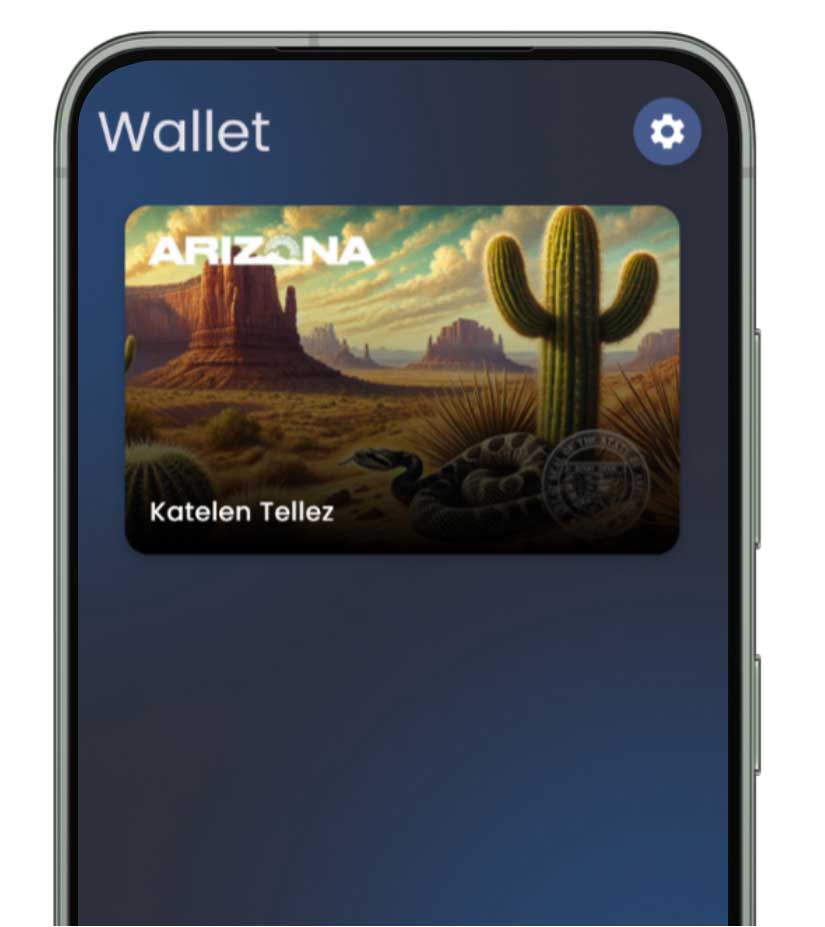
Integration
Mobile Driver License or State ID
When you add your Mobile Driver License (mDL) or State ID (mID) to Arizona Wallet, you will have the ability to share information from your mDL or mID using NFC tap or QR Code. This means you can enjoy fast, contactless identity verification at TSA checkpoints and any participating businesses. Arizona Wallet will also provide you with helpful reminders when your Driver License is expiring soon or has expired.
mDL/mID is optional to use. AZ MVD will continue to issue physical, plastic credentials to Arizona residents. Arizonans should continue to carry their physical ID as awareness about mDL grows. Note: Instruction permits are not currently supported in the Arizona Wallet app.
How to Add Your Arizona Driver License to Your Mobile Wallet
Before starting, you must have the Arizona Wallet app downloaded on your iOS or Android device, and set permissions.


Open Arizona Wallet
Open the Arizona Wallet app on your device.
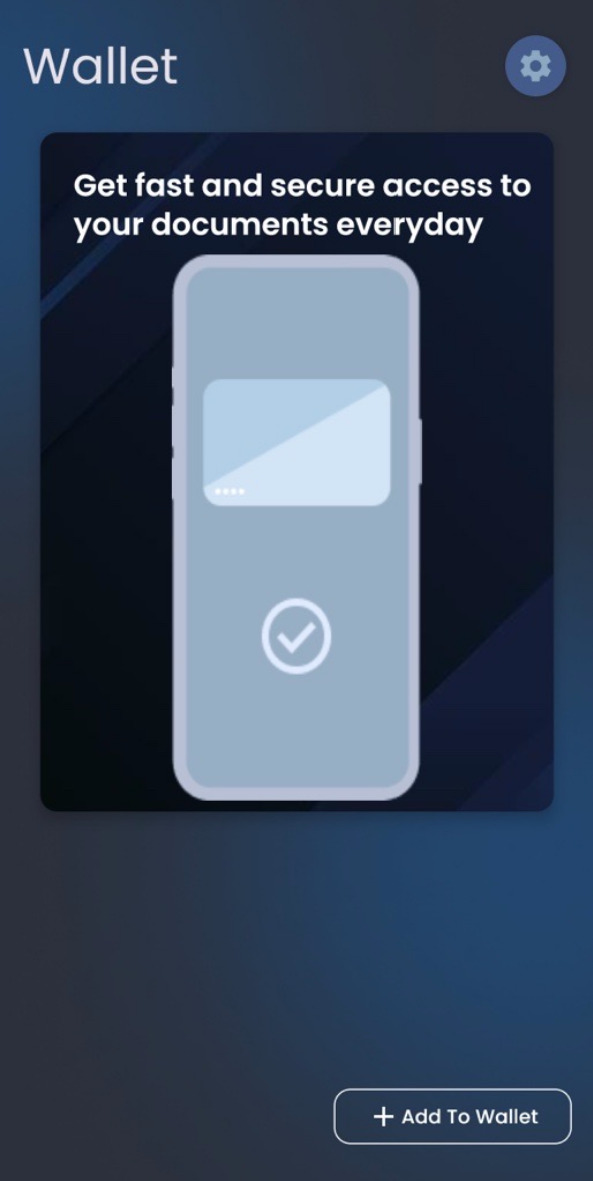

Add to Wallet
Tap the “Add to Wallet” button on the home screen.
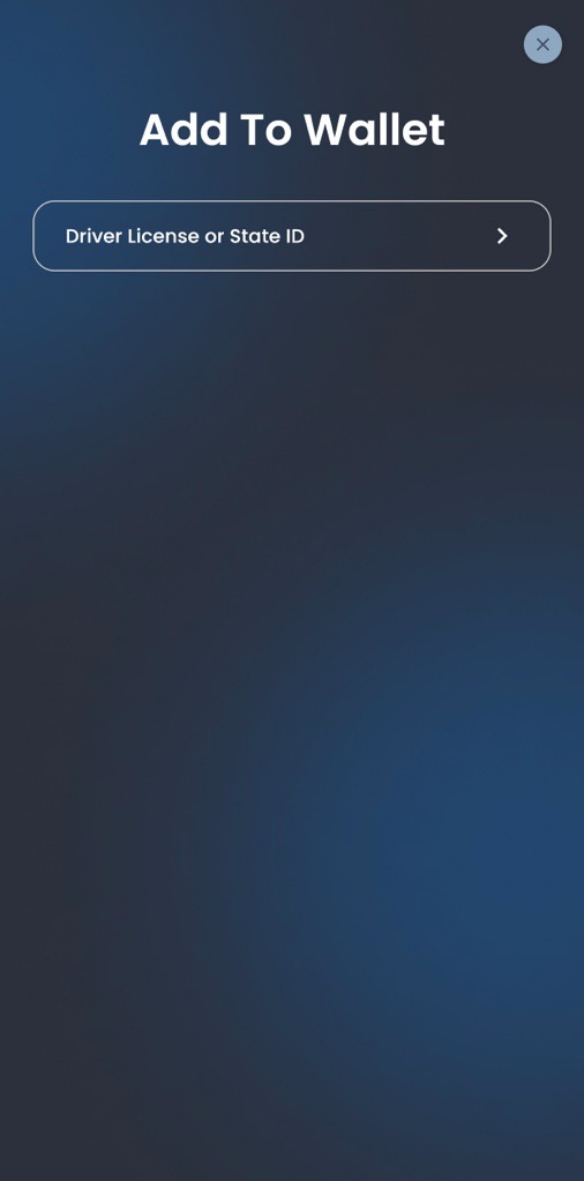

Choose Card
Select ‘Driver License or State ID’ from the list of card types.
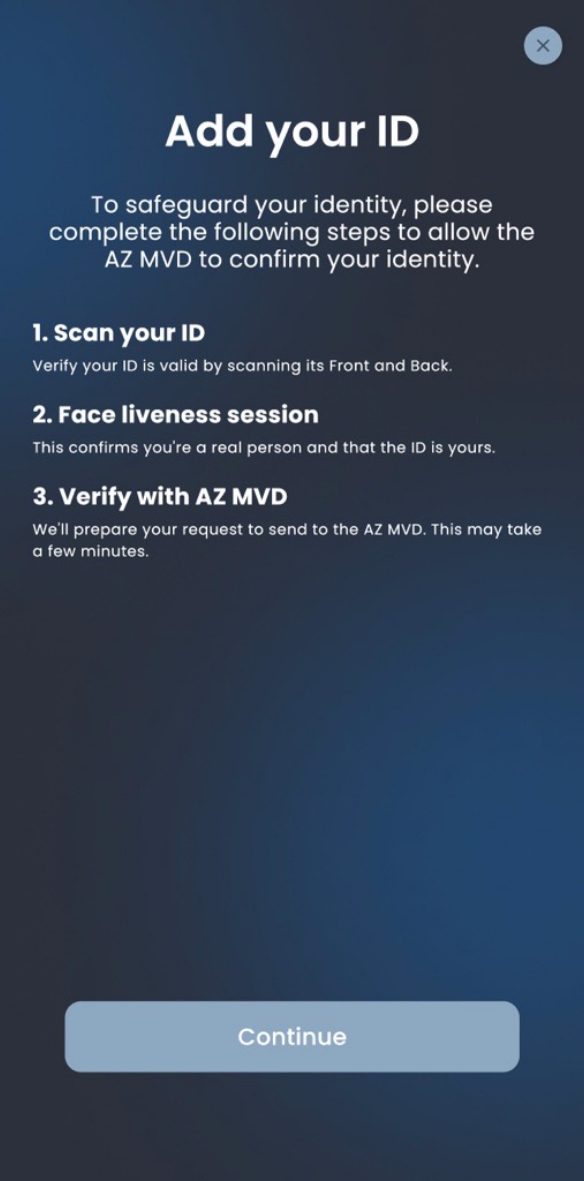

Get Your Mobile ID
Follow the instructions to scan your physical Driver License/ID, perform a face scan, and submit your request.
Integration
Mobile Vehicle Documents
Mobile Vehicle Documents let you keep essential vehicle records, such as your registration, title, and insurance information, right in your Arizona Wallet. These digital versions offer a convenient way to manage important vehicle information directly from your smart phone. With Arizona Wallet, you can quickly review your vehicle details, and access select services, such as Registration Renewal. The app will also give you helpful reminders about upcoming expiration dates for vehicle registration, keeping you up to date with your important renewal deadlines.
Please note that Mobile Vehicle Documents are optional to use. AZ MVD will continue to issue physical vehicle documents to Arizona residents. Arizonans should continue to have their physical vehicle registration on hand as awareness about mobile vehicle documents grows.
How to Add Your Arizona Vehicle Documents to Your Mobile Wallet
Before starting, you must have the Arizona Wallet app downloaded on your iOS or Android device, and set permissions. You will also need to add your Arizona Driver License / State ID to your Arizona Wallet.
Open Arizona Wallet
Open the Arizona Wallet app on your device.
Add to Wallet
Tap the “Add to Wallet” button on the home screen.
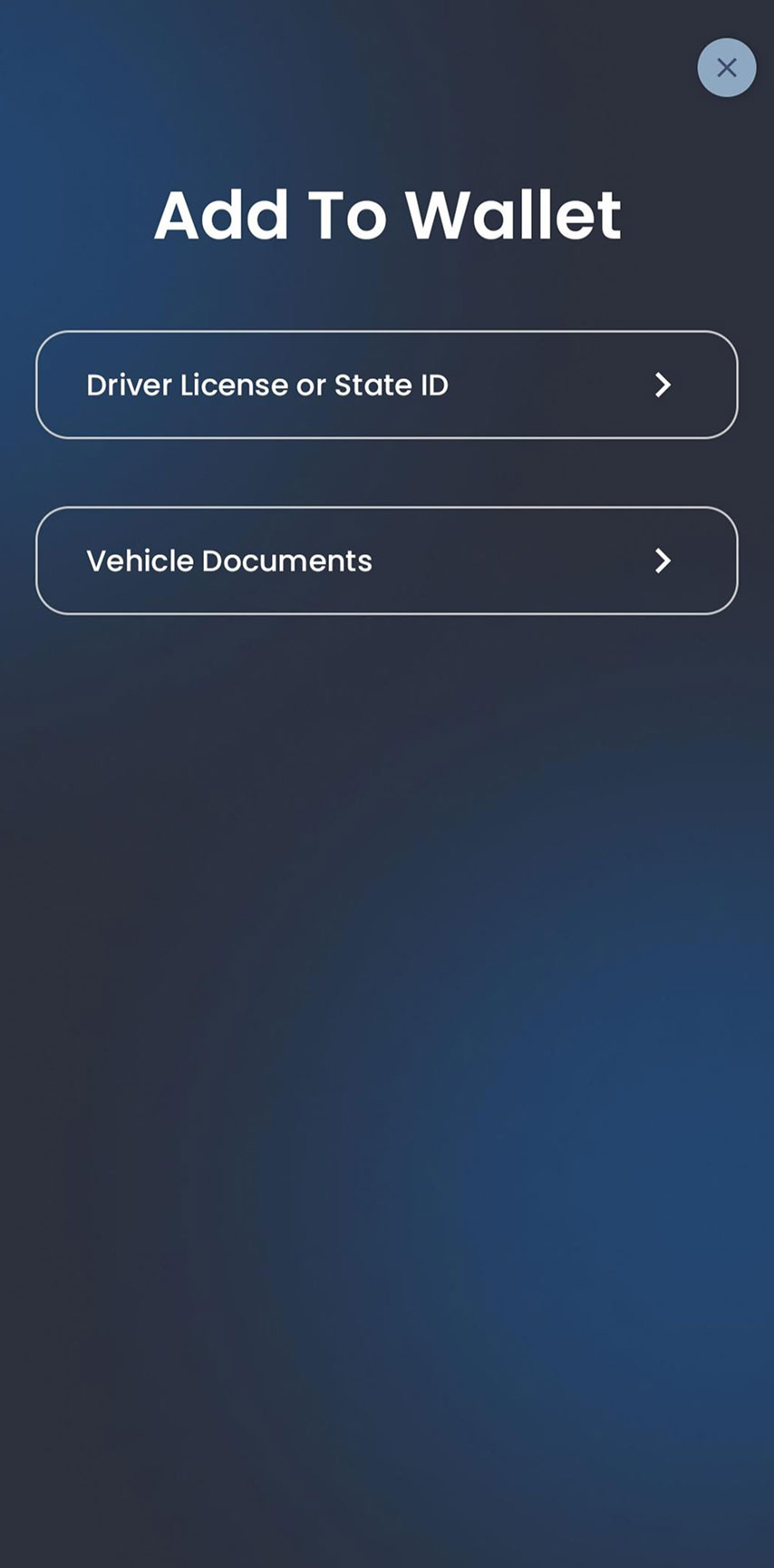
Choose Documents
Select ‘Vehicle Documents’ from the list of card types.
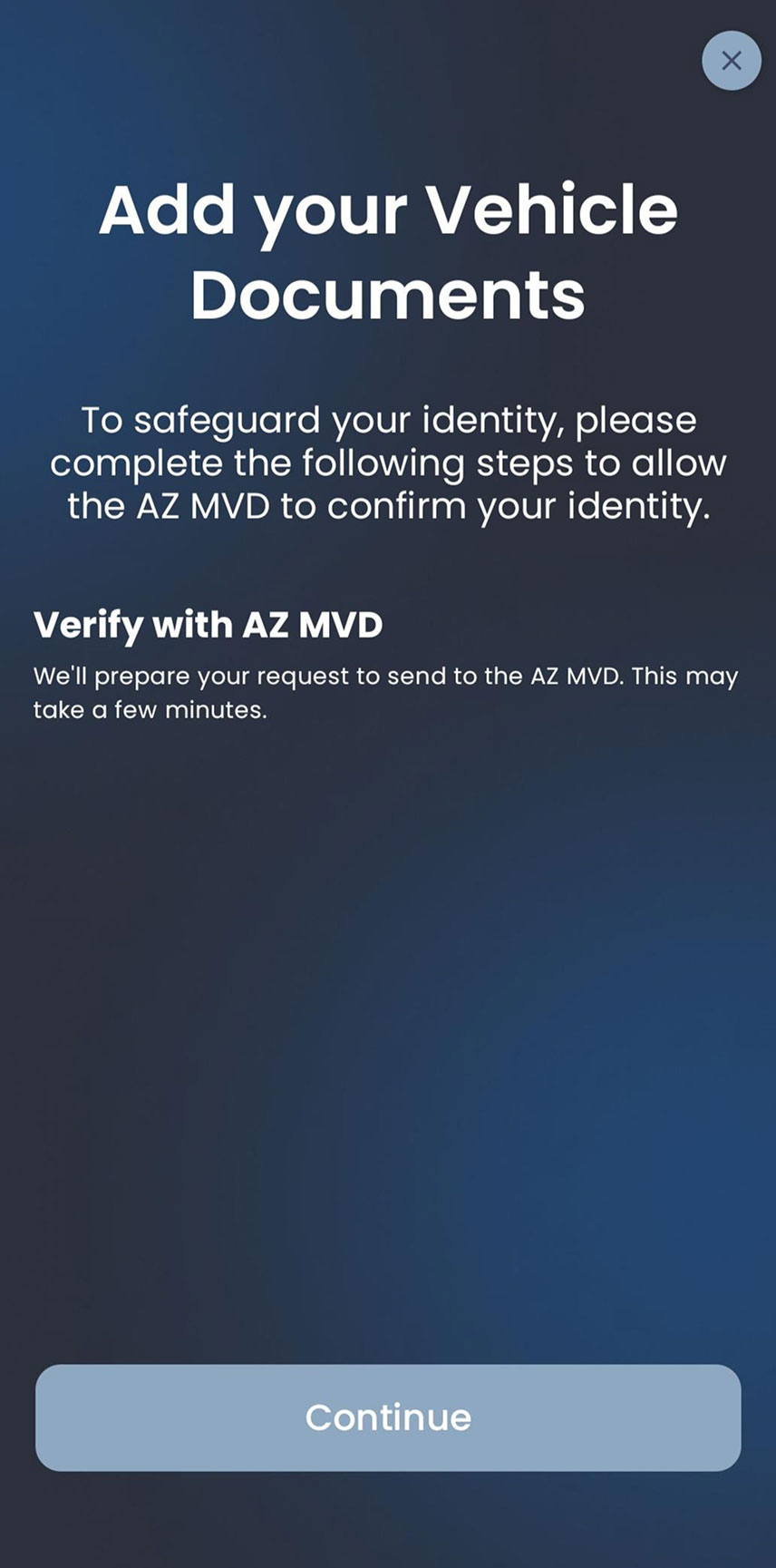
Get Your Mobile Vehicle Documents
Follow the instructions to verify your identity and submit your request.
Ready to Get Started?
Download the Arizona Wallet app on the App Store or Google Play to continue.


Age Verification
Verify Your Age with Your Mobile Drivers License
21+ establishments that want to verify the age of their customers with Mobile ID can use the Smart ID Verifier app. Customers simply open their mobile driver license in their Apple Wallet and hold it near the verifier’s iPhone.
Read more about the Smart ID Verifier app